Use PROTAC Builder to define a candidate from a POI warhead, linker, and E3 recruiter, preserving attachment-vector context.
Ternary-Complex Analysis
JARI-PROTACS
JARI — Joint Analysis for Reproducible Interface clustering — turns folders of PRosettaC-derived ternary-complex models into a reviewable similarity dataset, structural clusters, UMAP view, and hierarchical dendrogram.
It is the “what patterns survive across my model sets?” step after ternary modeling. JARI does not prove that a candidate degrades a protein; it makes pose-family comparison and reporting more reproducible.
PRosettaC model folders
Pairwise DockQ
DBSCAN + UMAP
Reproducible figures
The workflow
- Start with PRosettaC model folders organized by ligand, linker, design, or pose family.
- Compare models within and across those folders with DockQ.
- Aggregate and average structural similarity scores.
- Cluster models using distance =
1 − Average_DockQ. - Review clusters and figures alongside chemistry, biology, and experimental data.
Where JARI fits in PROTAC Builder
Generate ternary-complex hypotheses with PRosettaC or another appropriate structure-based workflow.
Use JARI to quantify whether model families are structurally similar, distinct, or internally inconsistent.
Use cluster membership as a prioritization signal, then validate promising designs experimentally.
Keep the boundary clear: JARI analyzes structural similarity among model outputs. It is not a degradation predictor and it cannot replace cellular degradation experiments.
What you get from a run
Cross-model DockQ scores
Pairwise comparisons across different ligand, linker, design, or pose families.
See the scoring stage ↗Self-similarity scores
Within-family comparisons that reveal whether a model set is structurally coherent.
See the scoring stage ↗Averaged score table
A compact input table for clustering where higher DockQ means closer structural similarity.
See output details ↗Clusters and figures
DBSCAN assignments, a UMAP visualization, and a hierarchical dendrogram for transparent review.
See output details ↗Three available structure-first starting points
These are saved Warhead Hunter handoff sets, not JARI clustering results. They demonstrate the upstream record you should preserve before building PROTACs and generating ternary-model ensembles for JARI.
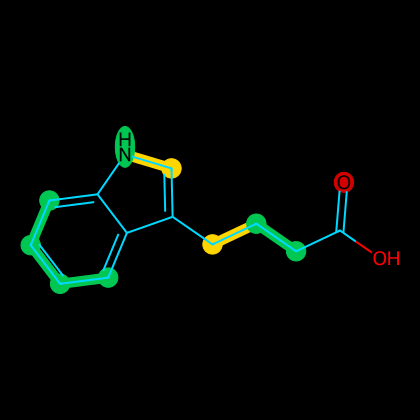
Keep this target-bound context with the later model family so comparisons remain traceable.
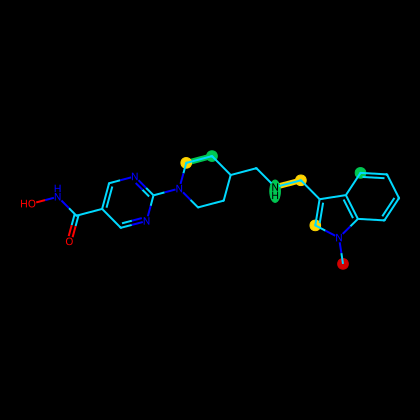
Keep this target-bound context with the later model family so comparisons remain traceable.
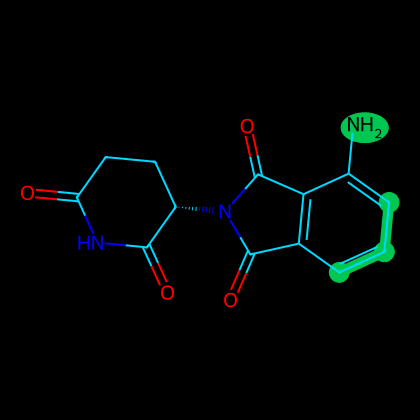
Keep this target-bound context with the later model family so comparisons remain traceable.
Ready to run it?
The walkthrough is intentionally copy-pasteable: set up Python, point JARI at a correctly organized model directory, run the numbered pipeline, and inspect the output files in order.